
Sunset is computed, and every input is auditable
A sunset trigger is arithmetic: the platform takes the home's stored coordinates, computes today's sunset for that spot, applies your offset, and fires — if the rule is enabled, its conditions pass, and nothing else overrides the result. Drift and no-shows enter through exactly those doors: a home address never set (or set to the office), a timezone inherited from a traveling phone, an offset entered in the wrong direction, a condition that stopped being true, or a second schedule quietly reversing the first.
Seasonality adds the honest confusion: sunset moves by minutes each week, and offsets tuned in June feel wrong by October. The audit below separates genuine misconfiguration from the calendar doing its job — and ends with the logs, which most platforms keep and most users never open.
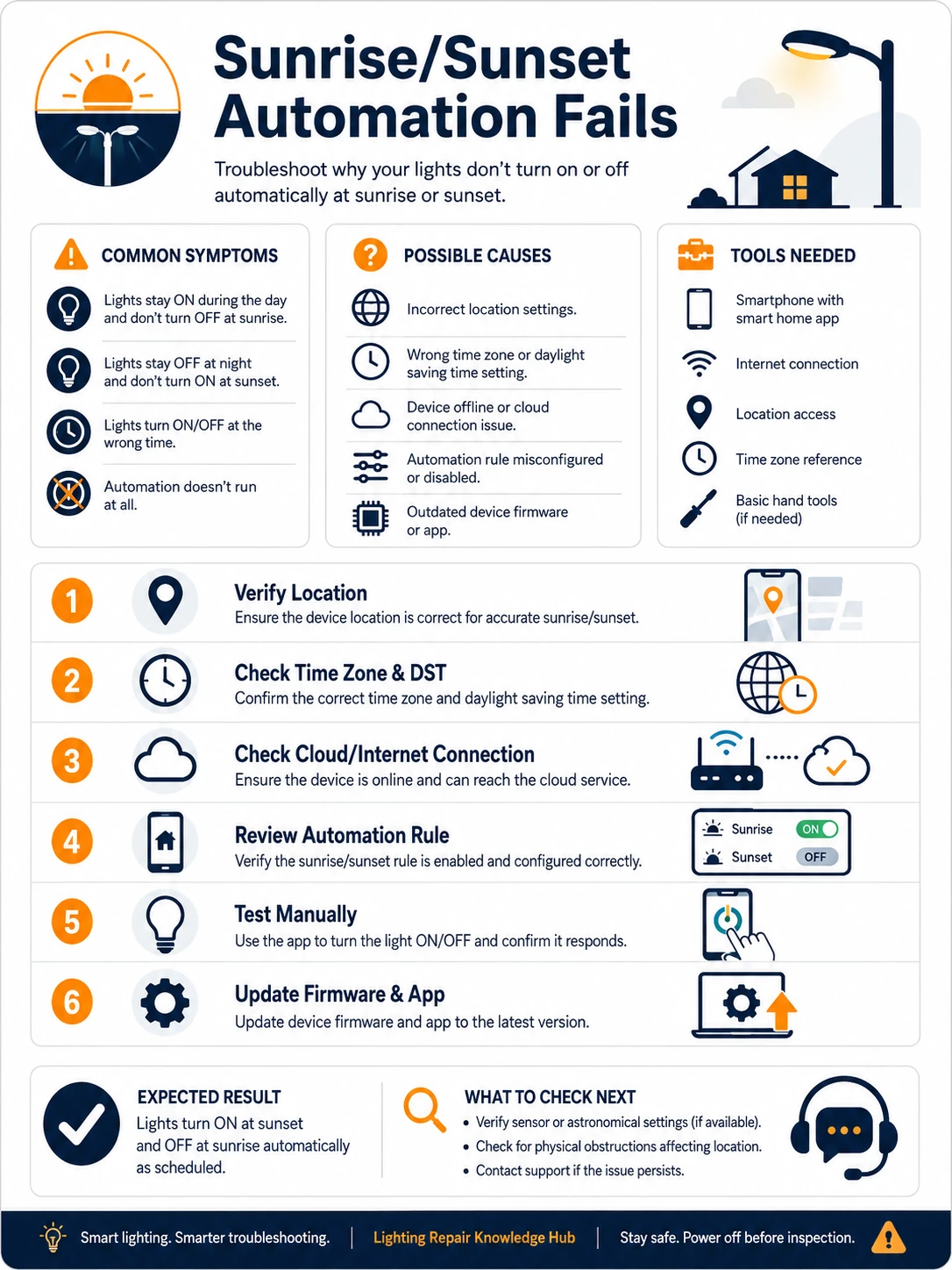
Prepare before testing
- The platform's home settings — address/coordinates and timezone — the two inputs everything derives from
- The rule editor — enable flag, trigger, offset, conditions, actions — read as written, not as remembered
- The platform's activity or history log — shows whether the rule fired, when, and what failed after
- Today's actual sunset time — any weather app supplies the ground truth to compare against
Configuration only. The single caution echoes the smart-bulb constant: automations control lights that must have standing power — a wall switch cutting the bulb defeats every rule ever written.
Check these areas first
- Home location wrong or unset. sunset computed for a default city, the office, or nowhere
- Timezone drift. hub or app inheriting a travel timezone, shifting every solar event
- Offset direction confused. before/after swapped, or minutes entered as hours
- Rule disabled or fenced. the master toggle off, or day-of-week/date fences excluding today
- Conditions never true. presence, luminance or device-state conditions that quietly stopped passing
- Rival schedules. an older timer or scene turning the lights back off minutes after sunset turned them on
Diagnostic procedure
Verify the two global inputs first (location, timezone), then the rule's own anatomy, then strip it to minimal and let the logs name what remains.
Confirm the rule exists, enabled, unfenced
Open the rule and read its status coldly: master toggle on, no date range that expired, day-of-week including today, and the rule attached to the correct home if the account manages several. Platform updates and family members both flip these flags more often than anyone admits.

Verify the home's coordinates
In home or location settings, confirm the stored address or map pin is the house — not a default, not the office, not blank. Compare the platform's displayed sunset (many show it) against a weather app's figure for your town: agreement within a few minutes validates the whole solar computation at a stroke.

Pin the timezone on every layer
Check timezone on the platform's home, on the hub if one exists, and on the phone that configured them. A hub set to a factory default, or a home inheriting a phone that traveled, shifts every solar event by whole hours — the signature of the 3 p.m. 'sunset'. Set explicitly; never leave on 'automatic' if drift has happened once.

Re-read the offset as written
Open the trigger and read exactly: at / before / after sunset, and the number's units. 'Thirty before' intended but 'thirty after' stored is the classic inversion; minutes-versus-hours mistakes produce the absurd firings. Correct, save, and note that seasonal drift is not error — a fixed offset rides sunset's daily movement by design.

Strip to a minimal rule and test tonight
Temporarily remove every condition — presence, luminance thresholds, device states — leaving pure 'at sunset, turn on this one light'. If the minimal rule fires tonight, the trigger machinery is healthy and one removed condition was the blocker: reinstate them one per evening until the failure returns and names itself.

Read the logs and hunt the rival
In the activity history, find the rule's executions: fired-and-failed points at an offline device at that moment; fired-and-succeeded followed by darkness minutes later means a rival — search all platforms for old timers, 'goodnight' scenes, away modes and power-schedule plugs touching the same lights, and retire the losers. No execution record at all returns the case to steps one through four.

Consolidating schedule authority
Sunset rules rot fastest in homes where three platforms each hold a fragment of lighting schedule — the brand app's timer from year one, the assistant's routine from year two, the hub's automation from this spring. Each is individually correct; together they fight, and the symptom is lights that change state 'by themselves' near dusk. The cure is constitutional: pick one platform as schedule authority for lighting, migrate the survivors there, and delete — not disable, delete — the rest. Disabled rules get re-enabled by curious family members and platform migrations; deleted rules stay retired. The annual audit then reads one platform's list instead of reconciling three.
When a light sensor serves better than astronomy
Solar triggers know the calendar but not the weather: a storm-dark afternoon stays unlit until the computed minute, and a bright June evening lights the porch needlessly. Where the platform and hardware allow, a luminance condition — 'when outdoor sensor falls below a threshold' — tracks actual darkness instead of theoretical sunset. The hybrid pattern is strongest: sunset-with-offset as the trigger, luminance as a modifier, so the lights answer both the calendar and the clouds. Reserve pure luminance triggers for setups with a well-placed sensor; a hallway sensor seeing its own lamp is the feedback loop that blinks all night.